

A while back I was trying to get a handle on what I actually owed in taxes as a self-employed person. My first instinct was to build an Excel sheet, map out the brackets, throw in some formulas, see what came out. That worked okay until I realized I was missing things: the QPP self-employment contribution, the deductible portion versus the tax credit portion, provincial differences, quarterly installments. The sheet kept growing and I kept finding new edge cases. I looked at the free tools available online but most of them are built for employees, they don’t really account for the way self-employment income works, or they lump everything together in a way that makes it hard to understand why the number is what it is.
So back in December I built a first version of the tool in Streamlit, nothing fancy, just enough to answer my own questions. But the more I used it, the more gaps I noticed. It only covered Quebec, the QPP calculation wasn’t fully right, and it didn’t really explain anything, it just produced a number. So I kept working on it. I added all 13 provinces and territories, got the tax calculations properly verified, built out the expense tracker, added the charts, and made sure the breakdown was clear enough that someone with no tax background could actually follow it. A few months later, here we are. I’m sharing it now because if I was this confused sorting out my own taxes, I figure other people probably are too, and I’d rather put something useful out there than keep it to myself.
Here’s how it works
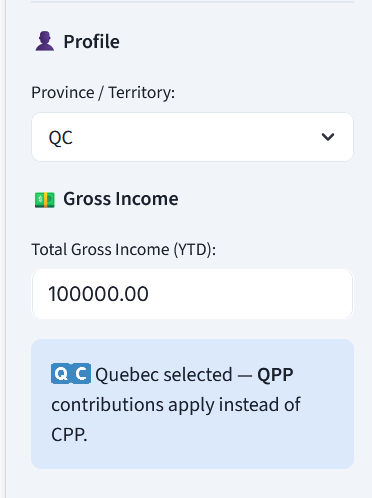
You start by selecting your province and entering your gross income, the total amount your clients paid you this year, before anything is taken out. That’s it to get your first estimate. Everything updates instantly as you type, so you can play with numbers and see the impact in real time.
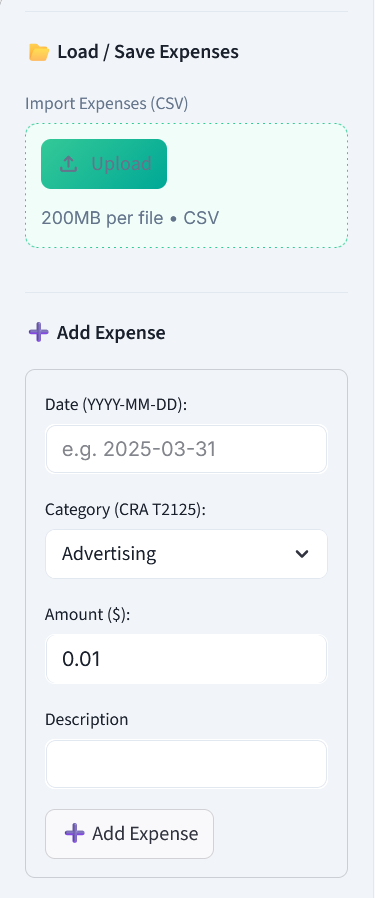
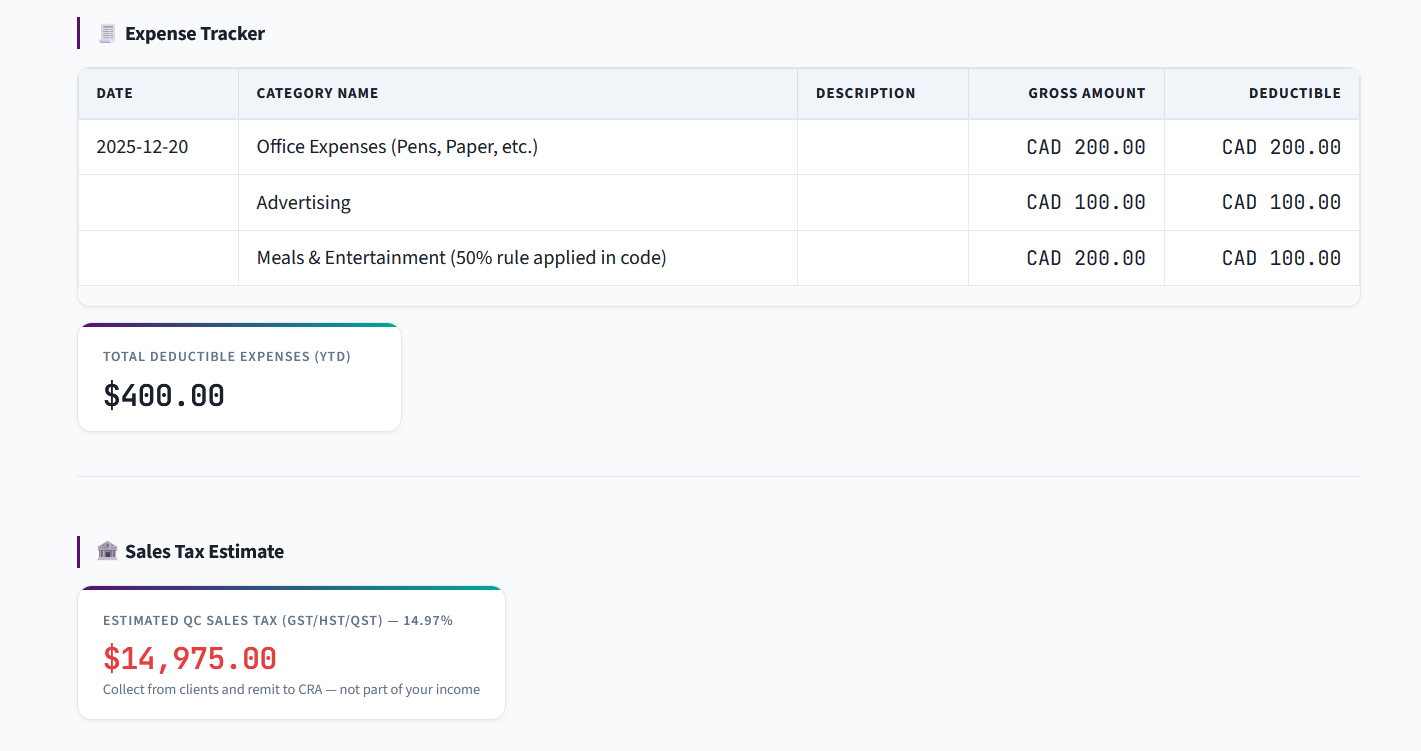
From there, you can track your business expenses. This is where things get interesting for a lot of self-employed people, your expenses directly reduce the income you’re taxed on, so keeping track of them matters. The tool uses the same expense categories as the CRA’s T2125 form, which is the form self-employed people file at tax time. Things like advertising, professional fees, home office costs, travel, software subscriptions, you add them in, and the tool adjusts your estimate accordingly. Meals and entertainment are automatically handled at the CRA’s 50% deductible rule so you don’t have to think about it.
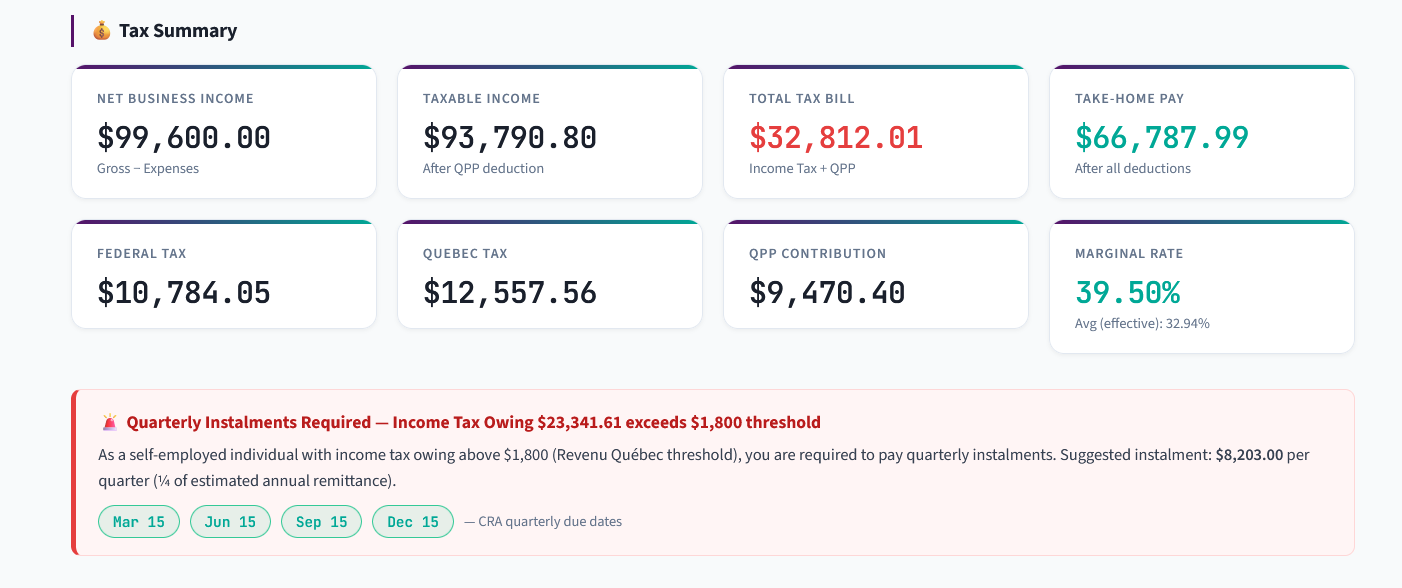
Once you’ve entered your income and expenses, the tool shows you a full summary: your net business income, your taxable income after deductions, your federal tax, your provincial tax, your CPP/QPP contribution, your total tax bill, and what you actually take home. Each number is explained so you can understand what it represents and why it’s there, not just a black box spitting out a result.
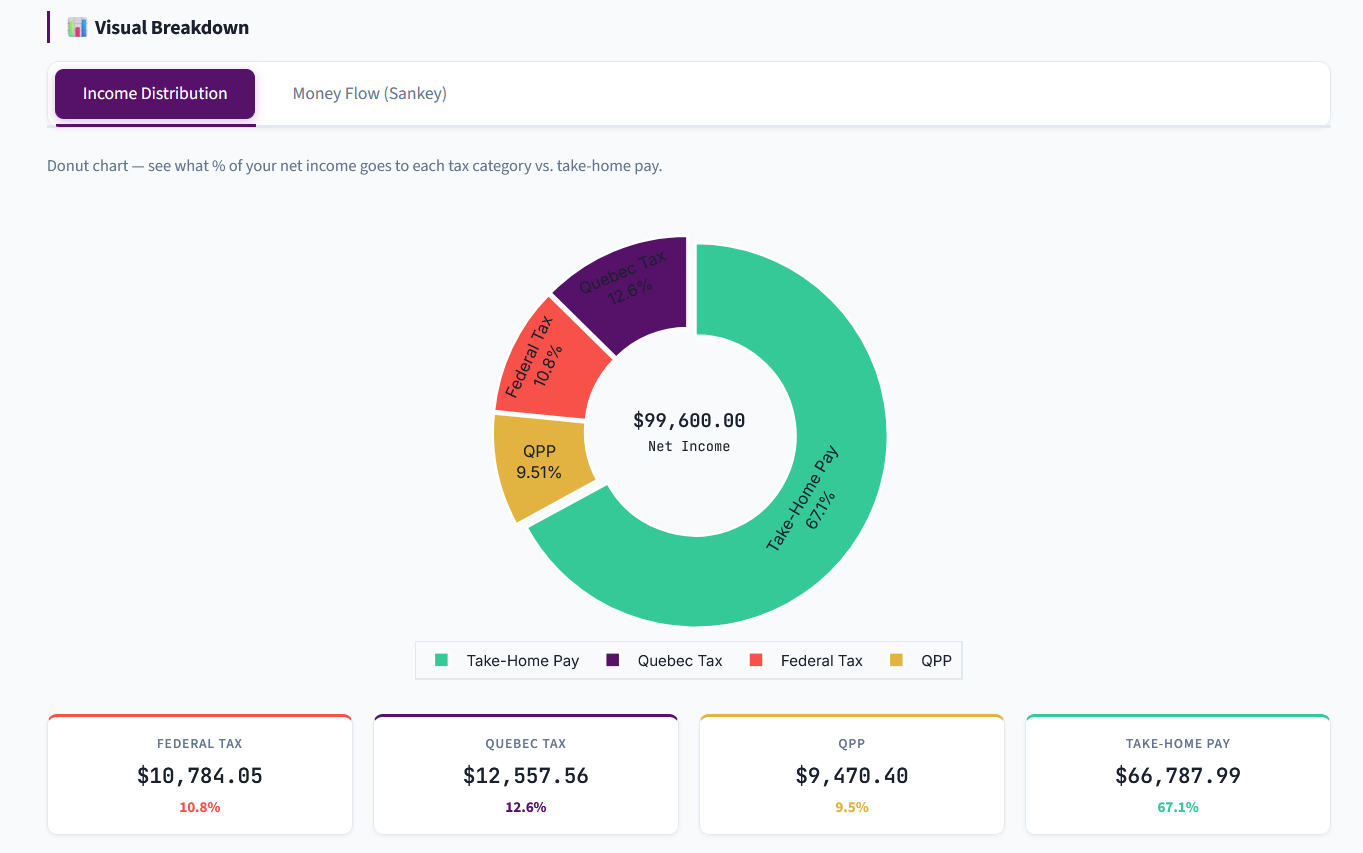
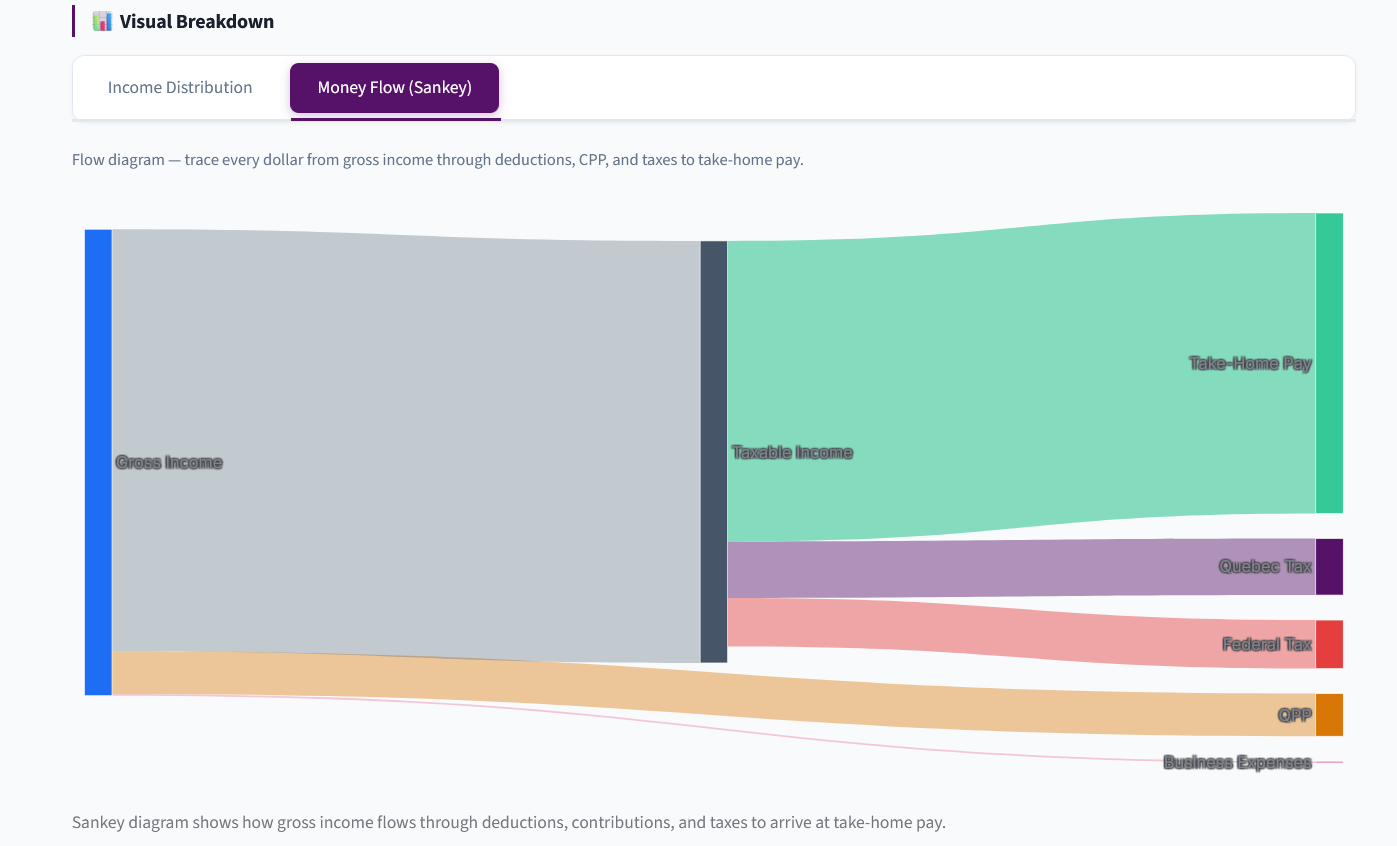
There’s also a visual section with two charts. The first is a simple donut chart showing what percentage of your income goes where, federal tax, provincial tax, CPP/QPP, and take-home pay. The second is a flow diagram that traces every dollar from your gross income through expenses, contributions, and taxes all the way to your pocket. If you’ve ever wondered “where did my money go,” that diagram answers it pretty clearly.
One thing I found really useful personally is the quarterly installment planner. As a self-employed person in Canada, if your income tax owing exceeds $3,000, or $1,800 if you’re in Quebec, you’re required to make quarterly payments to the CRA (or Revenu Québec) throughout the year rather than paying everything in April. The tool checks your estimate against the threshold for your province and tells you whether you need to be making payments, how much per quarter, and when the due dates are. It sounds obvious but it genuinely surprised me the first time I realized I should have been doing this. Quebec was actually one of the trickier provinces to get right in general, between the QPP instead of CPP, the federal tax abatement, and Revenu Québec’s own thresholds and rules, there are more moving parts than most other provinces. But everything is handled automatically regardless of where you are, whether you’re in Ontario, BC, Alberta, Quebec, or anywhere else in the country, the tool picks up the right rates, thresholds, and rules for your province the moment you select it.
Finally, you can export all your tracked expenses as a CSV file and reload them next time. It’s not accounting software, it doesn’t save automatically, but it means you don’t have to start from scratch every time you open it.
One last thing worth mentioning, the tool doesn’t collect or store any data whatsoever. No account, no tracking, no analytics on what you enter. Your income and expenses stay in your browser and disappear when you close the tab. I think that’s the right way to build something like this, especially when people are entering sensitive financial information. What you type is yours.
If you’d like to try it, just drop your email at the link below and I’ll send you the access link right away. No spam, no waitlist, just the tool.
Try it here.
You can also find the user manual here.
PS: Please use it on your desktop.
And if you do try it, I’d genuinely love to hear what you think. What’s useful, what’s confusing, what’s missing, drop a comment below or reply to this post. This is very much a work in progress and honest feedback is the most useful thing you can send my way.
Important Disclaimer: This tool provides estimates only based on publicly available 2025 Canadian federal and provincial tax data. It does not account for all tax situations (e.g. RRSP deductions, disability credits, provincial surtaxes, investment income, capital gains, etc.). Always consult a licensed Chartered Professional Accountant (CPA) for accurate, personalized tax advice. Use at your own risk. The CRA and Revenu Québec are the authoritative sources for all tax obligations.